GoZone On-Demand
Download the GoZone App to Get Started!
How GoZone Works
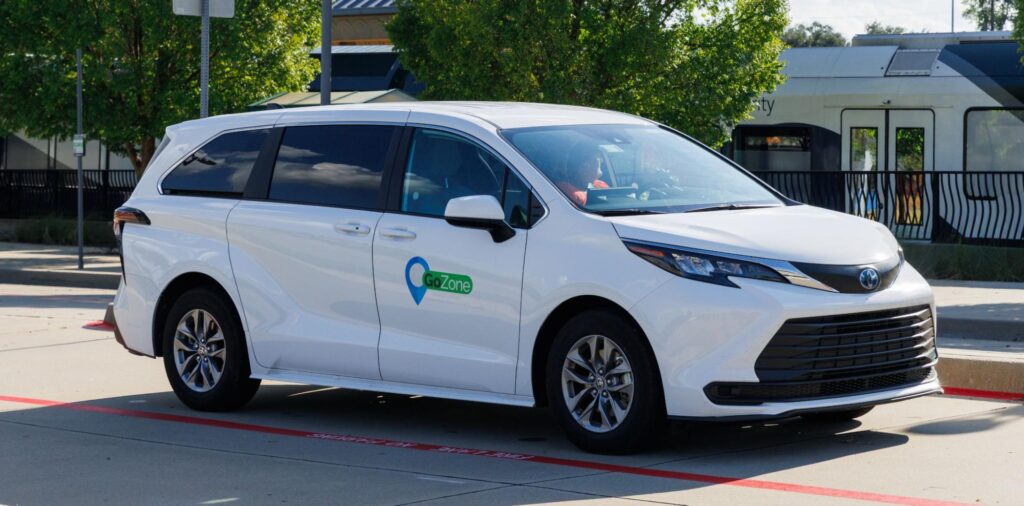
GoZone is an on-demand rideshare service, powered by Via, that riders utilize for trips within, and sometimes between, designated zones in Denton County. The on-demand service uses a mobile app where passengers book their trips in real-time. A fleet of dedicated branded vans is used to pick up and drop off riders at virtual stops within the zones.
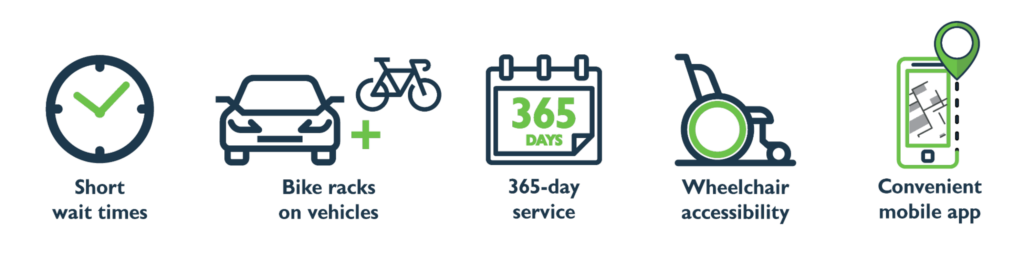
Commute or run errands in Denton, Lewisville and Highland Village. GoZone operates seven days a week and costs $1.50 per passenger. In Denton only, for any trips over four miles, an additional charge of $0.50 per mile may apply, up to a cap of $5.00.
Stay Connected with GoZone
To get help regarding GoZone, email us at support-dcta@ridewithvia.com or call our customer service team at (940) 243 0077.
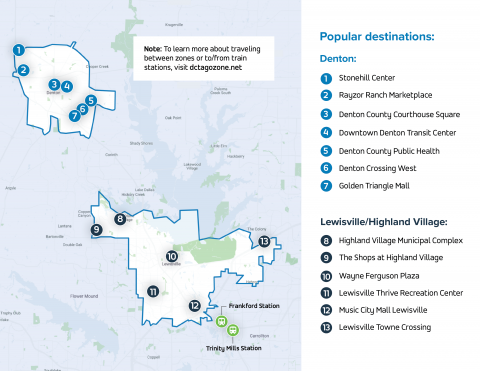
Where GoZone Can Take You
GoZone service operates 365 days per year with the following days and hours of operation:
Denton, Highland Village and Lewisville GoZone Hours
| Days | Hours |
|---|---|
| Mon – Thurs | 5 AM – 10 PM |
| Fri – Sat | 5 AM – 11 PM |
| Sun & Holidays | 8 AM – 6 PM |
Travel permitted between both zones and the DART Trinity Mills Station
GoZone Commuter Programs
Lewisville/Highland Village GoZone Commuter Extension
Travel between the DART Frankford Station, Lewisville/Highland Village GoZone.
| Days | Hours |
|---|---|
| Monday – Thursday | 9 PM – 1 AM |
| Friday | 10 PM – 2 AM |
Guaranteed Ride Home
Travel from the DART Trinity Mills Station to any one destination in any of the GoZones, provided Monday through Saturday only.
| Days | Hours |
|---|---|
| Monday – Thursday | 9 PM – 1 AM |
| Friday | 10 PM – 2 AM |
| Saturday | 10 PM – 2 AM |
How to Ride GoZone
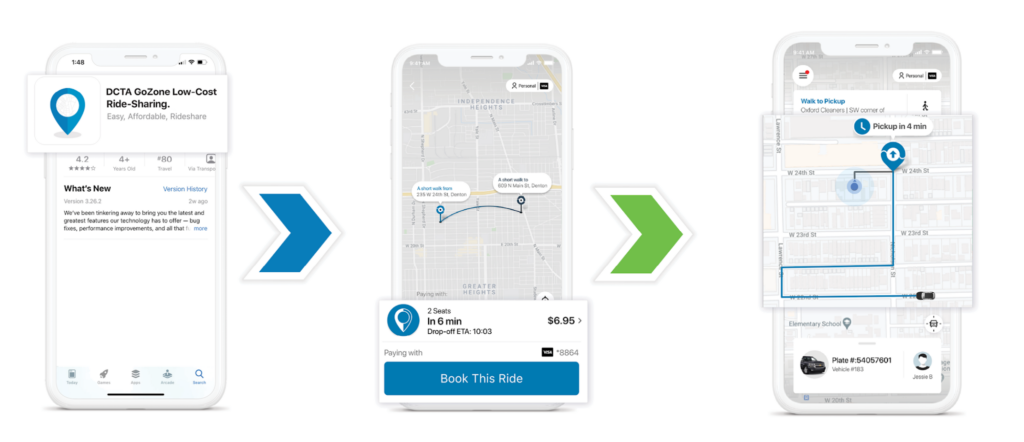
Three simple steps to tap, book and ride:
Create An Account
Download the GoZone app from the App Store or Google Play store and follow the simple signup steps.
Book A Ride
Enter your pickup and drop-off addresses and choose the ride option that works for you.
Meet Your Driver
Check the app to find out exactly where to meet the vehicle, which may be a short walk from the address you gave us.
GoZone Fares
GoZone Regular Fares
GoZone rides cost $1.50 per passenger.
In Denton only, for trips over four miles, the base fare is $1.50 with an additional $0.50 per mile up to a cap of $5.00.
Riders in Lewisville/Highland Village/Castle Hills pay a flat fare of $1.50.
There are three easy ways to pay for GoZone rides:
- When creating an account in the GoZone app, you’ll be prompted to add your credit or debit card information. You will be automatically charged once you’ve completed a ride.
- You can pay with cash on board, but please note that exact change is required.
- You can also purchase eligible tickets or passes through the GoZone app, DCTA, or use your regional pass from DART or Trinity Metro — just be sure to select the relevant ticket type as your payment method and prepare to present the ticket/pass to your driver upon boarding.
GoZone Reduced Fares
There’s no cost with a GoZone eligible DCTA pass. If you qualify for a Reduced Fare, you will need to obtain a Reduced Fare Eligible badge from DCTA, and you should also adjust your pricing on the app. Go to the Concessions item in the app main menu and select your qualification. You’ll need a DCTA Reduced Fare Eligible badge to obtain a Reduced Fare pass or to ride at a reduced fare.
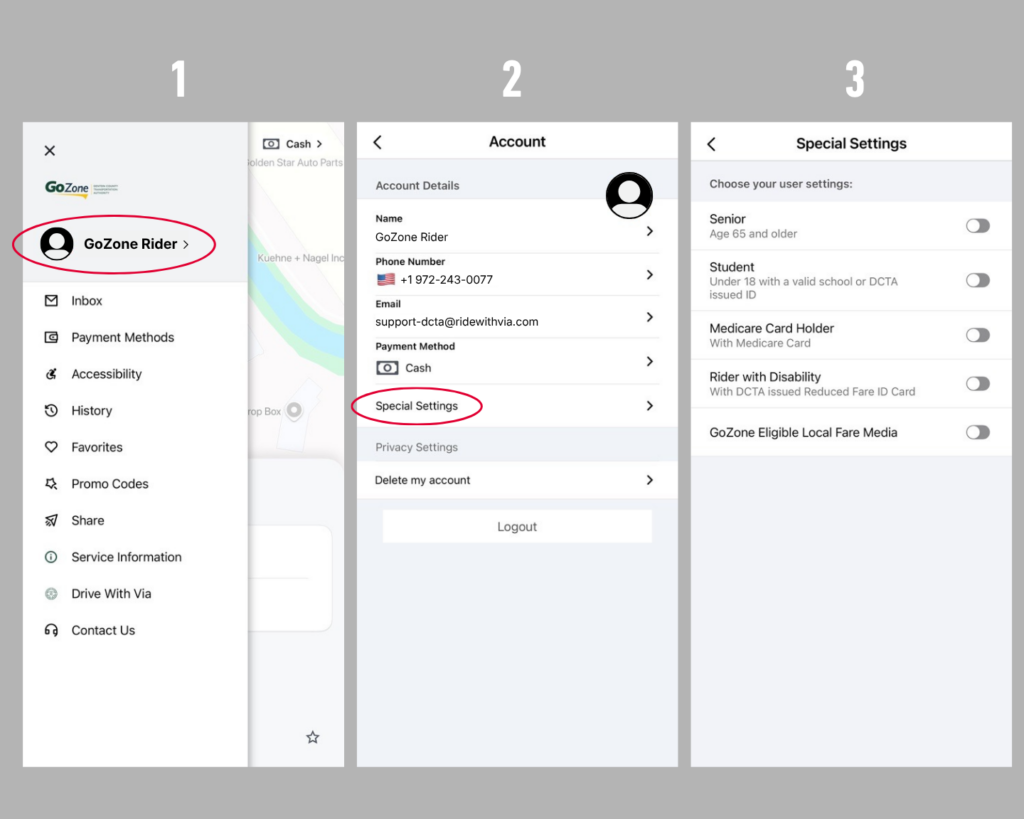
For GoZone riders who have a Reduced Fare Eligible badge, you will need to activate your discount in the GoZone app. You may also enable other special rider categories, such as senior citizen or student status, and more. Here’s how:
Go to ‘Your Rider Account” In The Main Navigation
Navigate to the sidebar menu in the GoZone app by clicking the three lines in the top left corner. In the menu, click on your rider account.
Click “Special Settings”
Under your rider account, click “Special Settings.”
Toggle On The Special Settings That Apply To You
Toggle your reduced fare qualifications.
If you qualify for Reduced Fares but don’t yet have a badge from DCTA, find out how to get one by clicking below.
GoZone FAQ’s
GoZone Accessibility
*If you need immediate access to a wheelchair access GoZone vehicle, please call (940) 243 0077 for assistance with booking your ride, otherwise follow the instructions below.
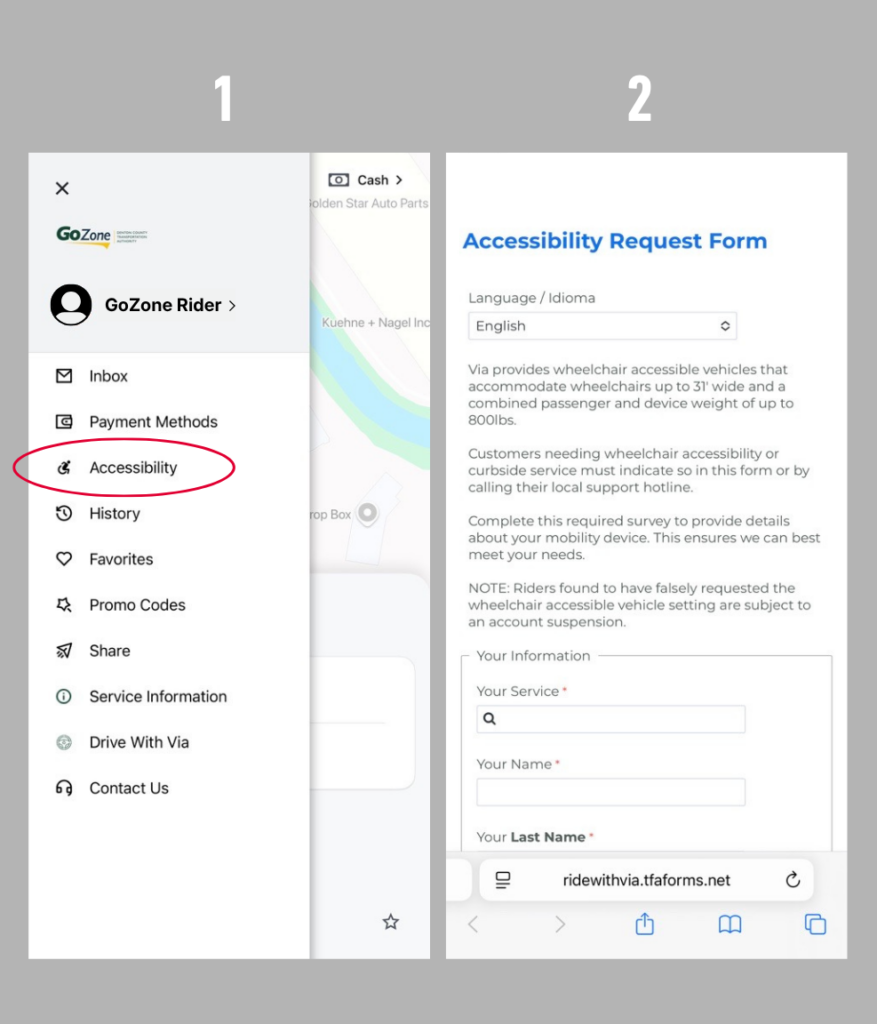
To enable Wheelchair Access for your GoZone rider account, follow the steps below:
Click “Accessibility” In The GoZone App
Navigate to the sidebar menu in the GoZone app by clicking the three lines in the top left corner. In the menu, click “Accessibility”.
Complete “Accessibility Request Form” in the GoZone App
An “Accessibility Request Form” will open in your device’s browser. Fill out the form and submit. Allow 2-3 business days for review.